
PowerPoint became a standard not only for classical presentations, but for various guides, charts, schemes and maps. Today it is used not only for the purpose of presenting ideas, but for keeping and sharing information.
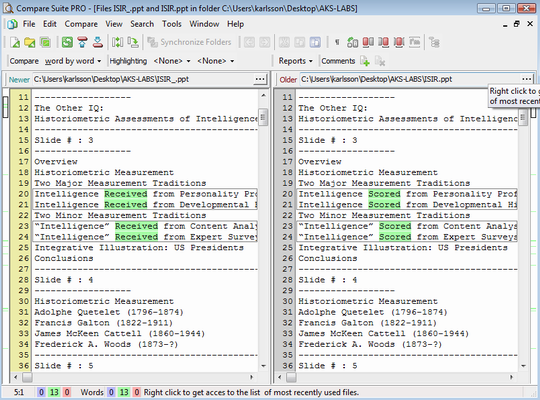
Compare Suite supports PowerPoint format and can help in these cases:
- One has two versions of PowerPoint presentation and needs to match them;
- One has two presentations and needs to scan them quickly if find out what they have in common;
Comparing slides
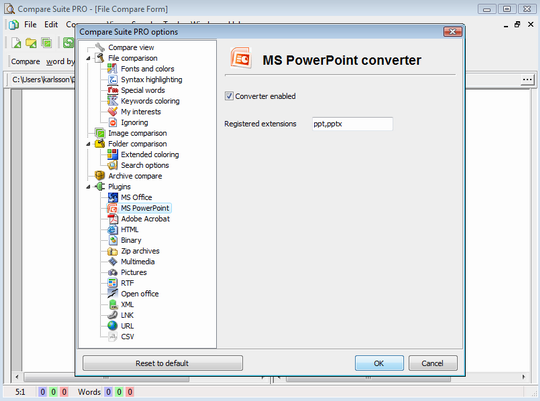
Compare Suite recognizes formats of PowerPoint presentation (ppt. and pptx. files). The first things Compare Suite will do is to convert presentation into a text format.
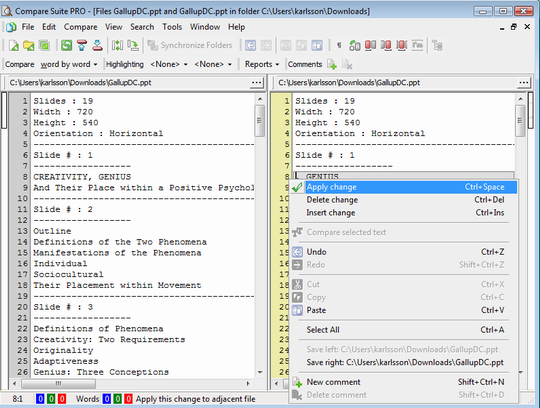
Conversion takes a few seconds, and as a result the program will extract all text data from slides, and present it:
- You’ll see page numeration (for example Slide # : 3), and
- Slide delimiters (a line of “-” characters)
Compare Suite extracts some general information from the presentation as well, in the first lines of the converted text it will show:
- The number of slides in the presentation (for example: “Slides : 82”)
- The width and height of presentation screens
- The presentation orientation (horizontal/vertical)
By comparing the left and right side you can make a conclusion about the changes made. Such functions as comments and ignoring are available for PowerPoint formats as well.
Mark improvements
Let’s discuss a possible application of the Compare Suite for PowerPoint comparison. Imagine, you are responsible for product presentation. You sent your presentation to the boss for approval, and he responded with an updated presentation and some comments. Instead of searching for a comment one by one, you can compare two versions and have a list of the comments.
You do requirements changes and you want to make the life of your boss a little bit easier. Instead of just sending a new version, you compare it to the first one and add short comments from your side, explain the details about the modifications and what you introduced in them. This looks very professional, as the approach saves both you and your boss valuable time for something more important.
Compare by keywords
Before we were discussing the “By keywords” compare method. It will work great for two un-related presentations. Open two PowerPoint files in Compare Suite and in a few seconds the program will show you some points that the two presentations have in common, as well as some unique ideas (expressed by keywords) that were discussed in one or another presentation.
Users about PowerPoint comparison
I have a lot of power point presentations catering for different situations, some of them carries same contents with names changed. Compare helps confirm if changes exist between 2 PPTs. Read more…
James Hon, SOHO, Singapore. Trainer.
Have you tried Compare Suite for the PowerPoint presentations? Feel free to share your experience in the comments.



















 Compare documents to find differences regardless of the format:
 Use the
  Archive comparison:
  Compare


 Compare files
 UNICODE is fully supported: open and compare documents in any language or encoding.
 Create a fully customizable

Leave a Reply
You must be logged in to post a comment.