
Read about how to use My Interest group.
How to setup "My Interests"
Select Options command in Tools menu. Then click to the "My Interests" tag. "My Interests" will appear.
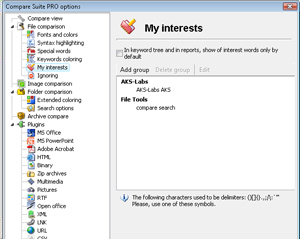
This is a sample of "My Interests" keywords for AKS-Labs.
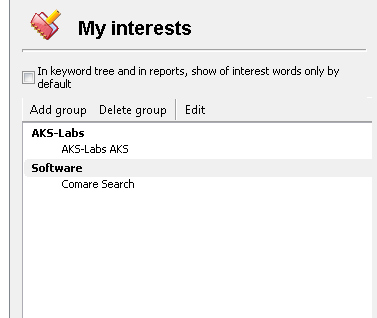
We'd like Compare Suite to let us know when document has "AKS-Labs" or "AKS" keywords as this document is about our company.
Also, if document has "compare" or "search" keyword, it is interest for AKS-Labs as we do develop software that allows to "compare" and "search".
Our common interest is providing our users with document collaboration means, that's why we included "collaboration" keyword in "Common" group.
Compare Suite allows to add, delete or modify your keywords of interest:

Click "Add group" button to add new keywords group.
Click "Delete group" button to delete existent group.
Once you created new group, you need to edit it. Select the group name and click Edit button. Then enter wished name for the group. Then select the keywords in this group and click "Edit" button to specify keywords for this group.
Note: when putting keywords use "," as a delimiter. For example: cats, dogs